Plan B
Install Stiger when it's not in your store.
No jailbreak, no sideloading. Apple's own region-switch handles it.
Why this page exists
Stiger is offered in every App Store region. If it ever stops being available in your country, the fix is Apple's own region-switching feature.
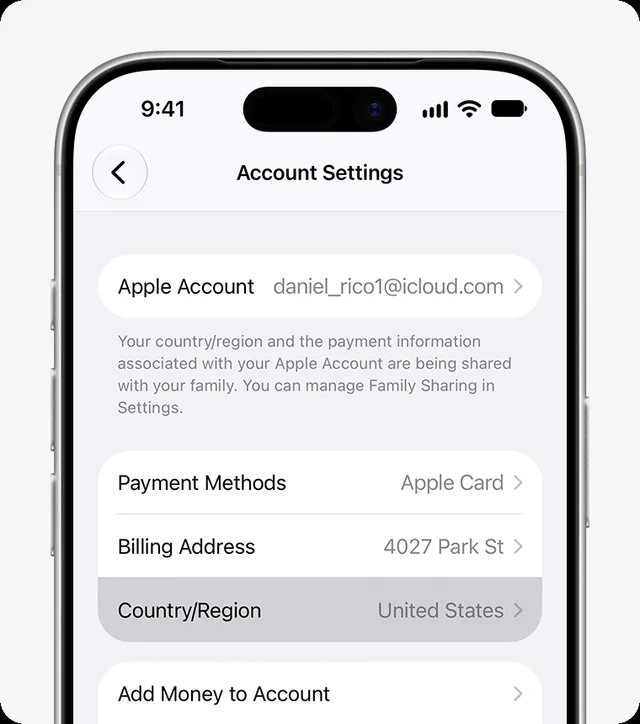
Switch App Store region
- Open Settings → [your name] → Media & Purchases.
- Tap Country/Region and pick a region where Stiger is available.
- Tap Continue, review the terms, tap Agree. You might be asked for a payment method valid in the new region.
- Open the App Store, search for Stiger, install.
Things to know
- You can switch back any time.
- Before switching, spend any Apple Account balance and cancel subscriptions that block the change; pending pre-orders, rentals and refunds have to clear first.
- Free Pro for Russian-speaking users follows your iPhone's system language (the first one in Settings → General → Language & Region), not the App Store region and not Stiger's own language setting.
Apple's own guide: support.apple.com — Change your Apple Account country or region